
Download Opic3D
Free on every screen you own. Pick your device below and start watching and sharing in 3D in under a minute.
- Open Web App
Web App
Browse, upload and manage your 3D library in any browser. Nothing to install.
iPhone
Shoot, upload and watch 3D photos and Spatial Videos on iOS.

Android
Create and watch immersive 3D content on Android phones.

- Download for Meta Quest
Meta Quest
The full spatial experience with depth, in the Opic3D VR App.
- Download on SideQuest
SideQuest
Install the Opic3D VR App on supported headsets through SideQuest.
Free to download. One Opic3D account works on web, mobile and VR.
Get started in three steps
Step 1: Get the app
Download Opic3D for your device, or open the web app.
Step 2: Create your account
Sign up and set up your immersive creator profile.
Step 3: Watch or upload
Explore 3D content from the community, or share your first 3D photo or Spatial Video.
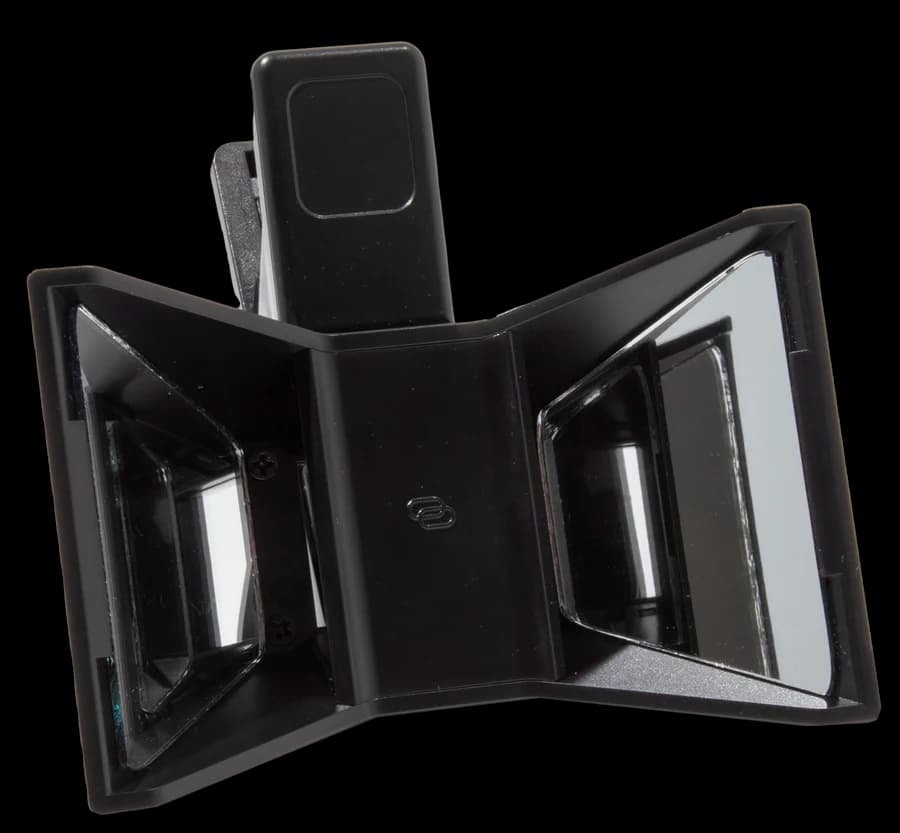
Opic Spatial
Shoot your own 3D, with the phone you already have
Opic Spatial clips onto your smartphone and captures stereoscopic photos, videos and livestreams that play back in 3D in Opic3D.
FAQ